Transacting with MPA

Transacting with MPA


Transacting with MPA
In order to transact with the Maritime and Port Authority of Singapore (MPA), a customer has to first open an account with us.

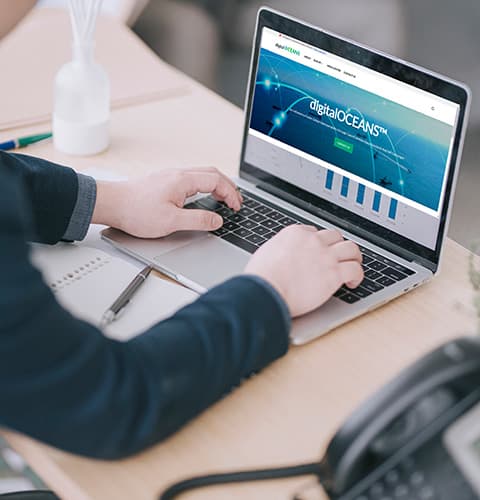
Access to digitalPORT@SG™
Once the account application is successful, an MPA account will be accompanied by complimentary access to digitalPORT@SG™ to facilitate the customer's adherence with statutory and regulatory requirements, and for operational and financial transactions.

Eco-Office Efforts
As part of our ongoing efforts to reduce carbon footprint, MPA will not send hardcopy Invoices and Statements of Accounts. Customers with finance officer role can access digitalPORT@SG™ for electronic copies of invoices and monthly statements of accounts via eFinance Portal.

Enquiries and Support
For further enquiries to our e-services, please contact us via the Feedback Form.
 20 min completion time
Corporate Account
Designed for companies and organizations, a Corporate Account allows you to transact with MPA on behalf of your business. Manage corporate services, payments, and interactions efficiently under one secure account.
Submission required for corporate account application:
-

eGuarantee of SGD 5,000.00
Applicants with expected annual transactions of SGD 10,000 or more with MPA are required to provide a security deposit of SGD 5,000 via eGuarantee. Click here to see how to apply.
Please use the above template for your eGuarantee application.
GIRO Arrangement
Participating banks for eGIRO include:











Note: Citibank, Standard Chartered and HSBC only support eGIRO setup for personal bank accounts. All other participating banks listed above support eGIRO setup for both personal and company bank accounts. For more information, refer to https://www.abs.org.sg/e-payments/eGIRO
If your bank is not listed above, please follow the steps below:
- Download and complete the Interbank GIRO Form with a wet ink signature.
- Scan and upload a copy of the completed form in Part 5: GIRO Arrangement within the application.
- Mail the original physical form (with wet ink signature) to the following address:
Finance Department
Maritime and Port Authority of Singapore
460 Alexandra Road
#18-00 mTower
Singapore 119963
 eGuarantee Template
How to Apply
 Sign Up
You’ll be redirected to digitalPORT@SG™, go to “Business” tab, click on “Sign up or Track Application Status”.
 Authenticate via Singpass
You’ll be redirected to authenticate via Singpass.
 Application Form
Complete and submit the application form.
 Submission Checklist
Situational submissions required — please refer to the above requirements:
- eGuarantee
- GIRO Arrangement


 Get Notified
You’ll be notified when your account is approved and ready for transactions!

User Guide
Download the user guide (PDF) for a detailed step-by-step walkthrough.
5 - 10 min completion time
Individual Account
Perfect for personal use, an Individual Account lets you access and transact with MPA for your own needs. Stay in control of your personal transactions and services with ease.
How to Apply
Sign Up
You’ll be redirected to digitalPORT@SG™, go to “Individuals” tab, click on “Sign up or Track Application Status”.
Authenticate via Singpass
You’ll be redirected to authenticate via Singpass.
Application Form
Complete and submit the application form

 Get Notified
You’ll be notified when your account is approved and ready for transactions!
User Guide
Download the user guide (PDF) for a detailed step-by-step walkthrough.
MPA’s accepted payment methods for all customer transactions are interbank GIRO and electronic payments (such as PayNow, credit cards, eNets and bank transfers).
Payment details can be found on MPA invoices which are available on digitalPORT@SG™.
For payment of fines, please refer to the e-Payment Services portal.
Should account holders customers foresee that there no longer be a need to transact with MPA, please submit the following forms and our officers will reach out to the customers accordingly:
You May Also Like